Save $1,000
64% · $640 / $1,000
Amount
Count up to a number. Like “Save $1,000” or “Run 500 km”. Add a little each time.
Visual goal tracker for iPhone
Chaltra is a goal tracker app for iPhone. Pick a challenge, like saving $1,000 or meditating 30 days, and fill its picture a little each day. It sits on your home screen, where you see it every time you unlock. Keep showing up, and one day the picture is full. You did that.
Coming to the App Store on Friday, October 23.
The problem
Goals rarely fail on day one. They fade in the middle, when you can no longer see how far you have come. A checkbox shows you today, never the whole climb, and what you cannot see slips away. A review of 138 studies found the other side of it: people who track their progress reach their goals more often.
The fix
A visual goal tracker turns your goal into a picture that fills as you log progress. In Chaltra, every challenge gets one. It starts cold and dark, then warms and brightens with each day you show up. One look tells you how far you have come, and how close the finish is.
How it works
Goal
Pick the one thing you want to finish: an amount to reach, or a number of days to show up. It takes a minute.
Where it came from
Log it in seconds. Every day you add makes the picture a little warmer.
Keep going until the picture is full. Then play back the whole climb, or share it.
The art
Every challenge gets one of 12 pictures. Pick the one you will want to see full. It fills with your colors as you go, and empty spots stay soft and dark, never gray.
Dot Grid
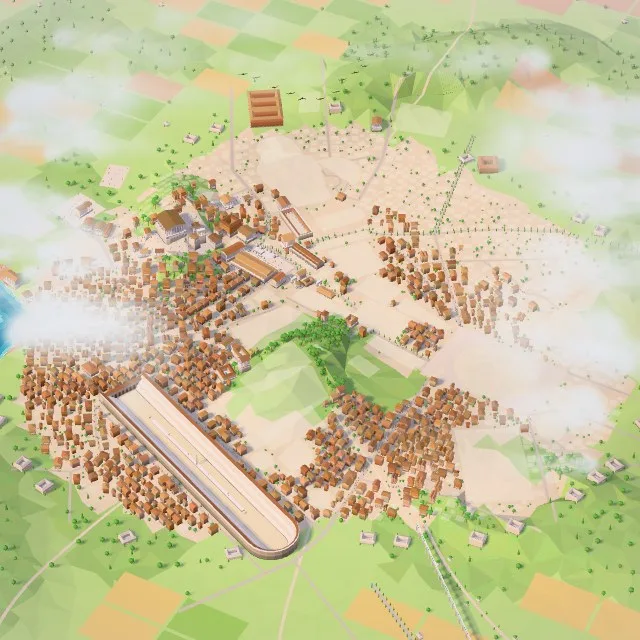
Mini Rome
Brick Wall
Grid
Wave
Jar
Ring
Honeycomb
Spiral
Tree
Tally Marks
Stained Glass
Playback
Playback fills your picture from empty to today in a few seconds, so you see the whole climb at once. On a hard day, it shows you how far you have already come.
Home screen
A widget puts your picture on your home screen, where you look many times a day. You see how close you are every time you unlock, without opening the app. Put it where you can see it, and you keep going.
66%
72%
Meditate 30 days
50%
15 / 30 days
Save $10,000 this year
64%
$6,400 / $10,000
Two kinds of goals
Days is a tap. Amount is a number. Both fill the same picture.
Save $1,000
64% · $640 / $1,000
Count up to a number. Like “Save $1,000” or “Run 500 km”. Add a little each time.
Meditate 30 days
50% · 15 / 30 days
Do it for some days. Like “Meditate 30 days”. Tap once each day you do it.
The daily tap
One tap, and you are a day closer.
A days challenge is a yes or a no. You tap. The day counts.
Meditate 30 days
14 / 30 days15 / 30 days
Save $1,000
64% · $640 / $1,000
That’s the whole day
Share
Export any challenge as a high resolution image, or as a video of your whole climb from day one. Post it and let people watch you do it, or keep it to yourself. Sharing is a bonus here, never the price of using the app.
Save $1,000 this year
A little each week.
64%
$640 / $1,000
Day 209
July 28, 2026
 chaltra.com
Why you'll love it
Cold start, warm finish.
Your picture starts cold and glows warmer with each day you show up. You can feel how far you have come.
No red marks and no streak to break. The picture keeps every day you did, so tomorrow you just pick up again.
One clear job, no clutter. Nothing to manage but the challenge you want to finish.
When the picture is full, it is yours. Keep it for you, or show the whole world. Your call.
Questions
Pick one goal. Fill it a little each day. Keep showing up, and one day the picture is full.